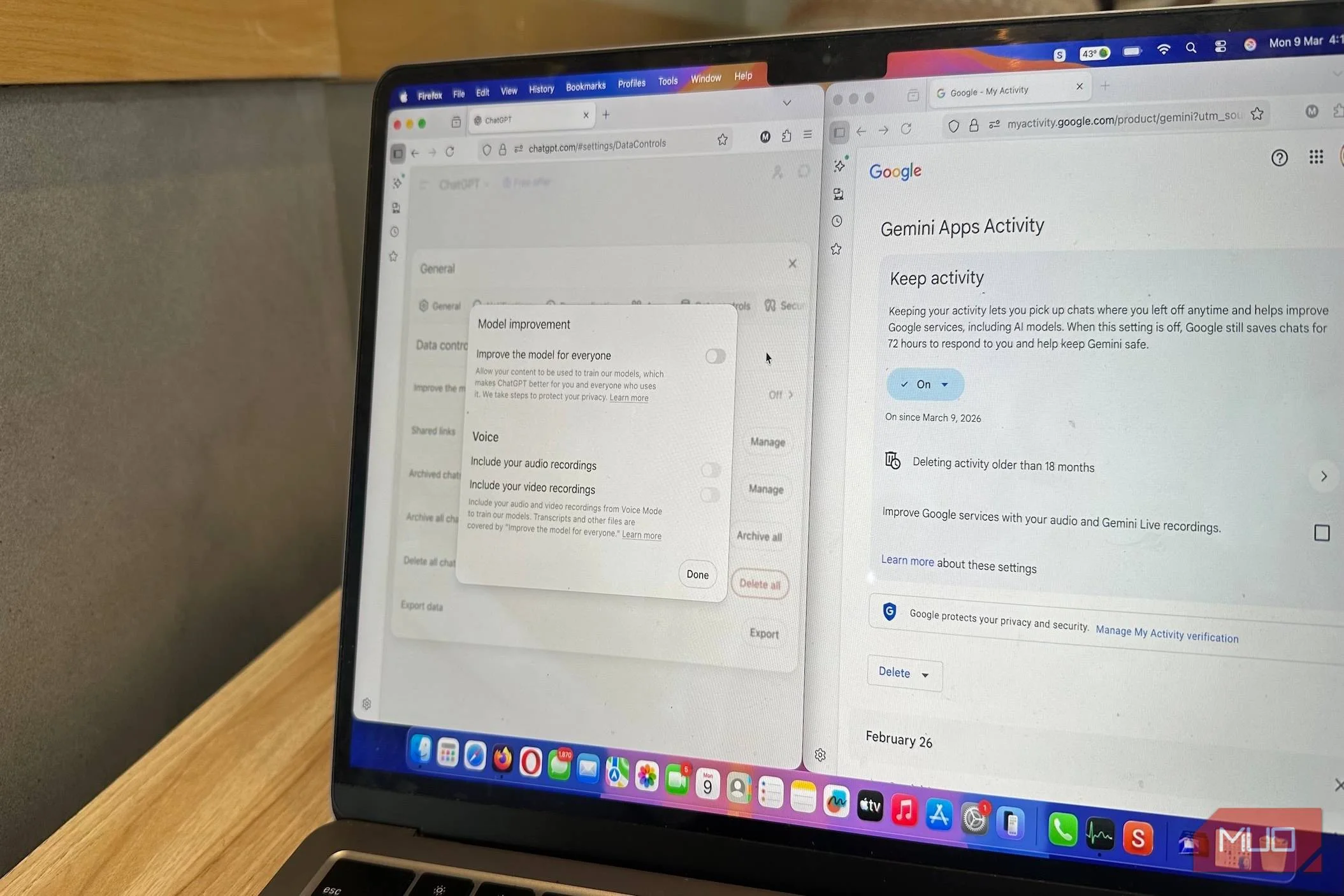

I'll be honest: I'm not thrilled about the fact that anything I've ever written — especially the whip-smart comments on questionable Subreddits — has probably been used to train LLMs. There's little I can do to change that. Copyright laws are tipped in favor of AI companies because, so far, the onus is on users to "opt out" of their personal data, chats, and creative work being used to train AI models. Opting out won't remove work from a dataset that's already been used to train AI models, but it could prevent it in the future.
Fortunately, most popular AI tools offer controls that let you decide whether you want your chats and content used for model training.
What opting out does
It only applies to future training cycles
To know if opting out is even helpful, it's important to be aware of exactly what kind of data AI companies collect. Broadly, it can be categorized into two types: personal and behavioral data, and your creative work. The former includes info like your name, email, prompts, uploaded images, files, preferences, and other activity, whereas the latter is anything you've authored, created, drawn, and generated.
There's no easy way to block AI bots from scraping websites training on your creative work: if you upload it to the internet, it's likely part of the model's training data. Even robots.txt doesn't work very well because you can only use it on your own domain. AI crawlers can still access your work if it's available in some other place: for example, a public website that doesn't restrict AI crawlers, or even a public Instagram account. Oh, and they can willfully ignore the robots.txt file altogether.
Opting out is most useful when you don't want your future interactions, personal chats, and uploaded content to be stored or used to train the model. Most companies also let you delete old personal information, but there's no way to know the data hasn't already been used to train future models.
The big three: ChatGPT, Gemini, and Claude
Don't confess to any crimes, even after opting out
The three most popular LLMs right now are ChatGPT, Gemini, and Claude. Fortunately, the opt-out option for all three isn't hidden under a barrage of settings and sub-menus.
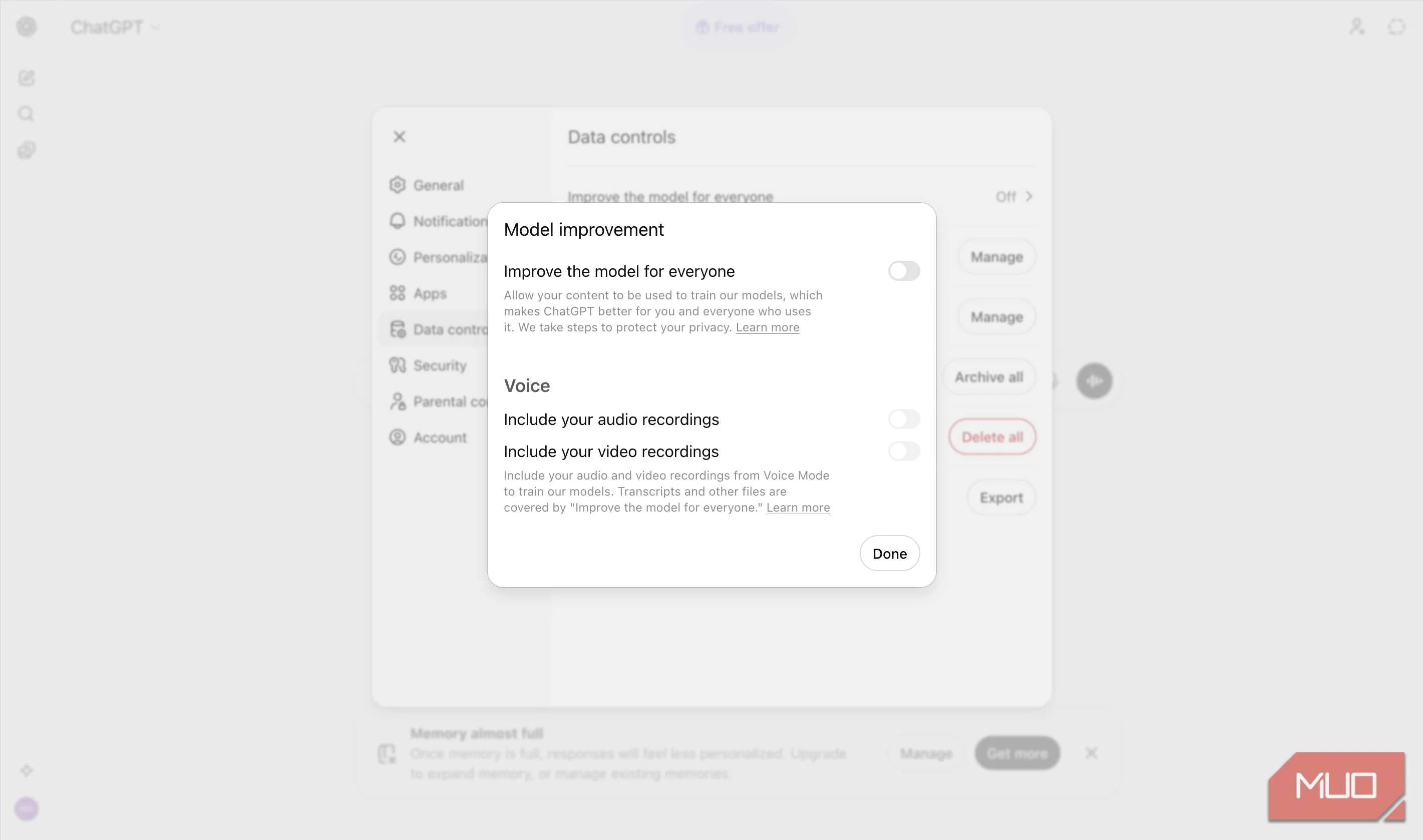
On ChatGPT, click on your profile picture, then choose Settings -> Data Controls. Turn off Improve the model for everyone to prevent future chats from being used for training. You can also use Temporary Chats that don't store memories or use the conversation for training. However, there are a few caveats. For one, if you provide feedback on a chat using thumbs up/thumbs down, the entire conversation may be used for training, even if you've turned off the setting in Data Controls. Additionally, ChatGPT temporarily stores each conversation for abuse monitoring and safety.

6 Reasons I Use Claude Instead of ChatGPT
ChatGPT is great; don't get me wrong. But Claude is so much better.
If you use Gemini, opting out is simple: go to Settings and help -> Activity, and click Turn Off in the Keep Activity drop-down menu. Once enabled, Gemini will save new chats for up to 72 hours, but they won't be used for training. You can also delete old activity using the Delete Activity option on the same page. However, this won't affect previous chats that were marked for human review—data from these chats may be retained for up to 3 years, according to Gemini App's Privacy Hub.
Claude uses your chats and coding sessions to improve its model. To disable this, click on your profile picture, then go to Settings -> Privacy, and turn off Help improve Claude for everyone. Unlike ChatGPT and Gemini, once you opt out of Claude, your previous information will not be used to improve the model. Additionally, if you only want a specific chat not to be used for model training, you can simply delete it. Keep in mind, if you provide feedback on a response, the entire chat will be saved and used for model improvement, even if you've disabled Help improve Claude for everyone.
Creative tools use your work too
Ensure your original designs aren't used to train AI
Design software providers, Adobe and Figma, use your data and content to improve their AI models.
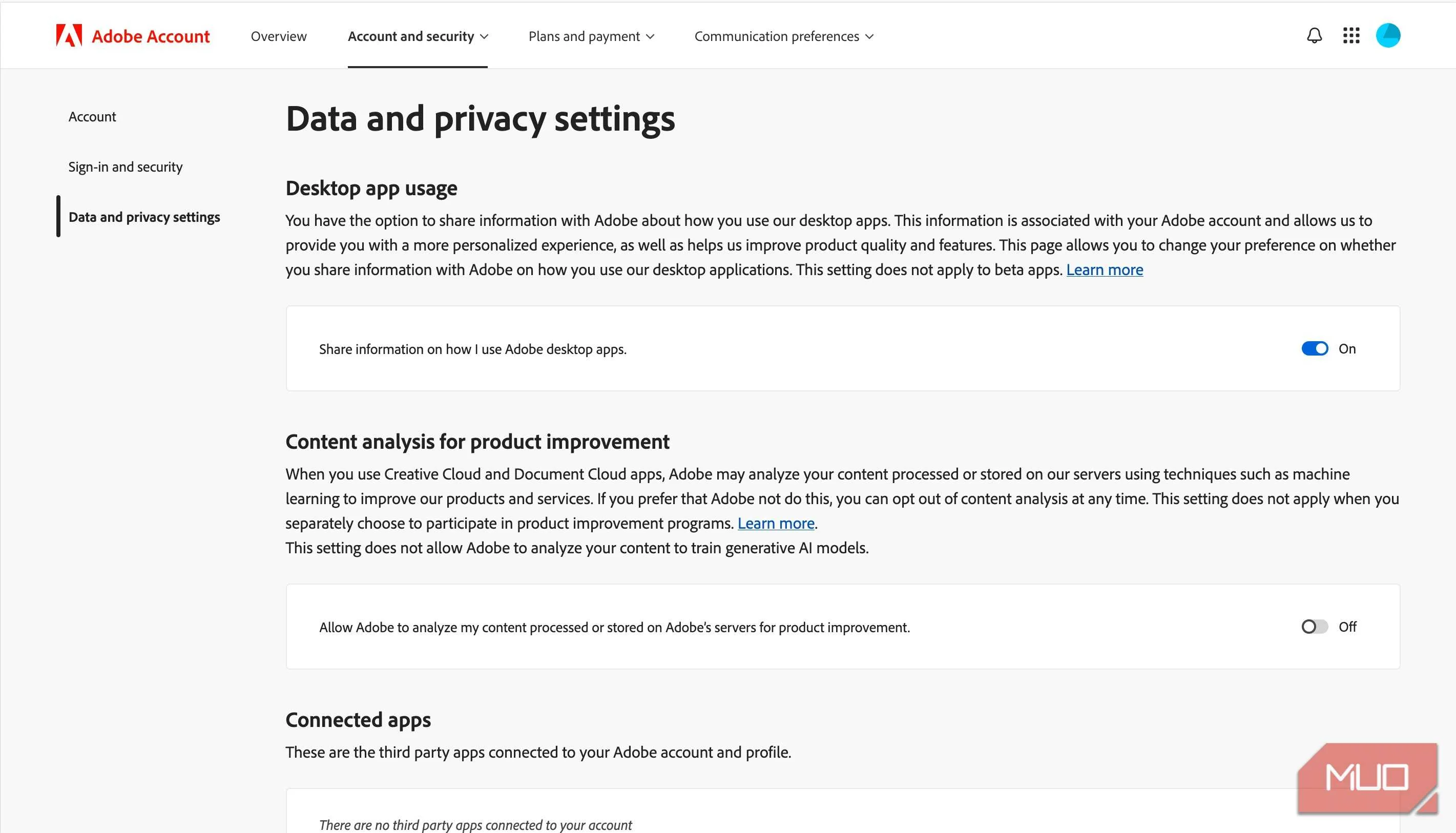
In the case of Adobe, any content uploaded to the Adobe Stock marketplace is used for training AI. Files stored on Adobe Creative Cloud may be analyzed to improve Adobe software, but they won't be used in model training. This doesn't apply to locally stored files. So, if you don't want Adobe to use your work for AI training, don't upload it to the Adobe Stock marketplace. In case you want to opt out of content analysis, you can do so by visiting Adobe's privacy page, and disabling Content analysis for product improvement.

Figma uses your content and usage data to improve its AI features. The content data includes text, images, comments, annotations, layer names, layer properties, etc., that you created in or uploaded to Figma. On the other hand, usage data is related to how you use and access Figma. To opt out of this, go to the AI tab on the Figma Settings page and turn off Content improvement.
Social platforms are training AI with your posts
LinkedIn lets you disable this, but Meta needs to do better
AI companies aren't the only ones using your data to train their models. LinkedIn and Meta, too, are using your posts and other info to better their AI models.
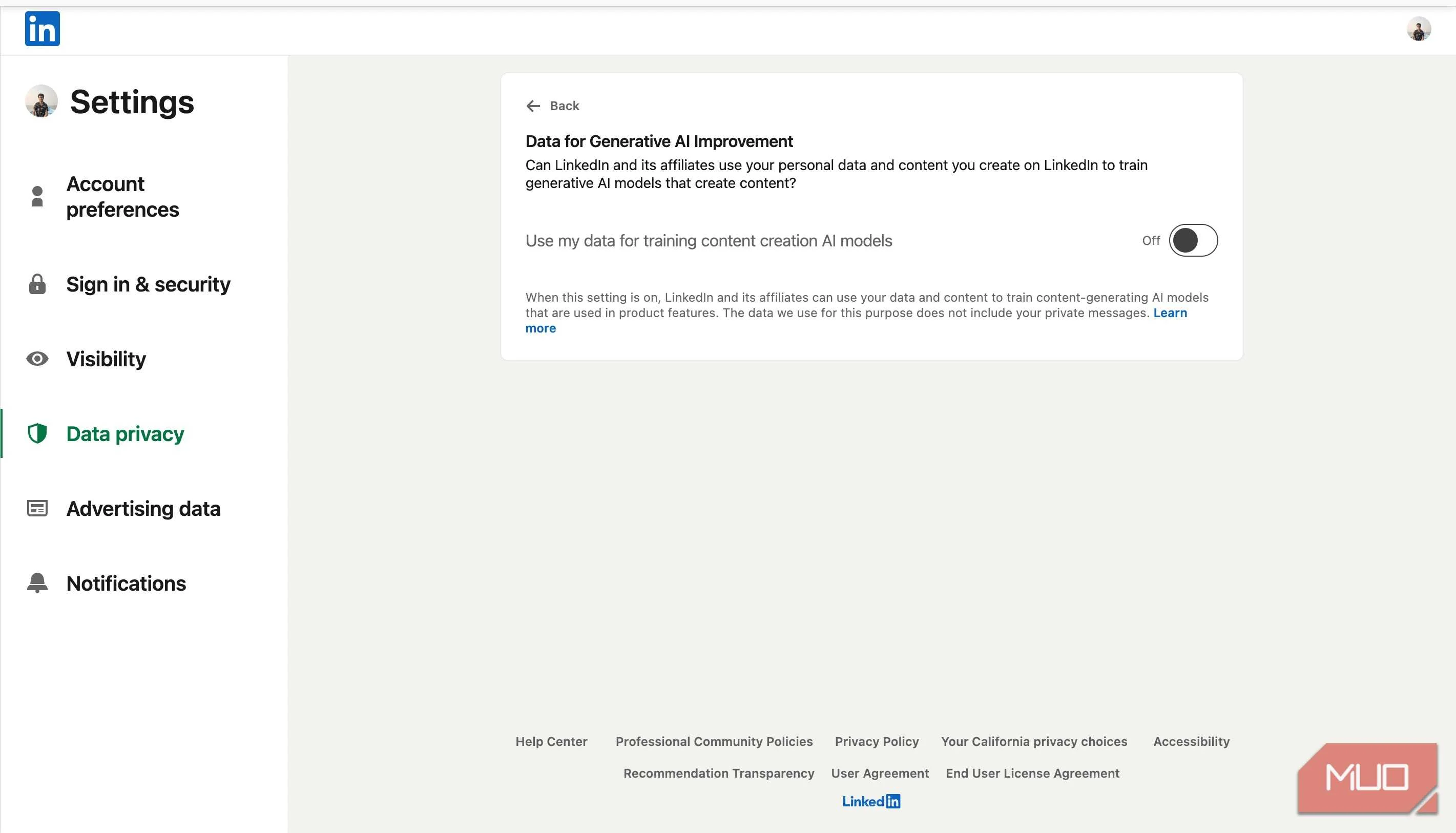
Your LinkedIn data — like your posts and images — is used to train their content generation AI model, but not their AI-based personalization, safety, and anti-abuse models. You can opt out by disabling the Data for Generative AI improvement feature in the Data Privacy tab under Settings. This only applies to future posts and content.
Meta is the worst offender when it comes to control of your data for AI training. All your public posts and interactions on Facebook, Instagram, and Threads are used to train Meta AI, and there's little you can do to prevent that. You can submit an objection form — which requires a disturbing amount of personal info — to request your data not be used for training Meta AI, but the acceptance is subject to your country's data protection laws.
Opting in should be the norm
More transparency, please
Most AI platforms automatically opt out enterprise users' data from model training. It should be the same for regular users.
Yes, we need to be more discerning, but most companies use sophisticated linguistic maneuvers to obfuscate exactly how and what data is used for AI training. That's precisely why automatic opt-ins are manipulative: they exploit the fact that the average user won't read verbose privacy policies, which usually leave them more confused.
Among all the LLMs I used, Claude was the only one that made it clear (while signing up) that my chats and data would be used for AI model training, and I could choose to opt out. While this is not a high bar, maybe it's a start?